Adte Logo

Free · Runs in your browser · Nothing uploaded

Is your ad ready for CTV?

Check your video against common CTV delivery specs and the ATSC A/85 loudness recommendation in seconds. We read the resolution, frame rate, codecs and bitrates, and measure loudness and true peak. Then switch between major streaming platforms to see if your ad meets each one’s spec. Your file is analyzed on your computer and never uploaded.

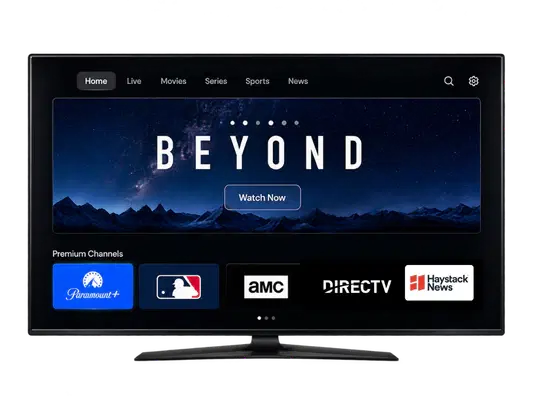
A TV showing a streaming app with premium channels

Tick the box above to start your check.

What we check against

Recommended delivery specs

Not law. Based on NBCUniversal's public spec.

  • • Full HD, 1920 × 1080, 16:9
  • • 29.97 fps preferred (23.98 or 25 accepted), progressive only, no interlacing
  • • No frame-rate conversions, and no bars, slate or tone in the file
  • • ProRes 422 HQ, or H.264 at a high bitrate (NBCU asks for 10–30 Mbps)
  • • Stereo, 48 kHz, AAC at 192 kbps or more, or PCM. Audio length equals video length.

Audio loudness

ATSC A/85 recommendation

  • • When the platform gives no other spec: an average of -24 LKFS, with a tolerance of about 2 dB either way
  • • True peak below -2 dBTP, measured before encoding
  • • Streaming services may play everything at one target between -23 and -27 LKFS, and an ad should never be louder than the content it runs in
  • • If the platform sends its own spec, that spec governs

The law

A summary, not legal advice

  • • Federal: the FCC's CALM rules apply to TV stations, cable and satellite. According to the FCC, they do not apply to ads on the internet or in streaming.
  • • California: SB 576 says that from July 1, 2026, a streaming service serving California residents must not play ads louder than the content they accompany, consistent with the FCC's CALM rules.
  • • SB 576 applies to the streaming service and has no private right of action.

This tool measures your ad against -24 LKFS. It can't compare your ad with the program it will run next to, and each streaming service decides how it meets its own obligations.

CTV ad specs & formats by platform

The video ad delivery specs of major streaming platforms, as each one publishes them (Q4 2026). They aren’t updated automatically, so confirm the current spec with the platform before you deliver.

Amazon Ads CTV ad specs

Amazon Ads' public Streaming TV & Prime Video ad specs (US Prime Video)

Resolution
1920 × 1080 or larger, 16:9
Frame rate
23.98 fps preferred (24, 25 or 29.97 accepted)
Video
H.264 at 15 Mbps or more
File type
.mp4
Audio
2 or more channels, 44.1 kHz or 48 kHz, AAC at 192 kbps or more
Loudness
Not stated in the public spec
Spot length
:15, :30, :45 or :60
Max file size
500 MB

Disney+ CTV ad specs

Disney Advertising's public Disney+ video ad spec (Disney-hosted files)

Resolution
1920 × 1080 or 1280 × 720, 16:9
Frame rate
23.98, 24, 25, 29.97 or 30 fps, progressive
Video
ProRes, or H.264 at 10–40 Mbps
File type
.mov or .mp4
Audio
Stereo, 44.1 kHz or 48 kHz, AAC at 128 kbps or more, or PCM
Loudness
Not stated in the public spec
Spot length
:15, :30, :45, :60, :75 or :90
Max file size
250 MB

ESPN CTV ad specs

Disney Advertising's public ESPN pre-roll and WatchESPN mid-roll specs (ESPN-hosted files)

Resolution
1920 × 1080 or 1280 × 720, 16:9
Frame rate
23.98, 24, 25, 29.97 or 30 fps, progressive
Video
ProRes, or H.264 at 10–40 Mbps
File type
.mp4 or .mov
Audio
Stereo, 44.1 kHz or 48 kHz, AAC at 128 kbps or more, or PCM
Loudness
-24 LKFS ± 2 dB
Spot length
:05, :06, :15, :30 or :60
Max file size
250 MB

Hulu CTV ad specs

Disney Advertising's public Video Commercial spec for Hulu (Hulu-served files)

Resolution
1920 × 1080 or 1280 × 720, 16:9
Frame rate
23.98, 24, 25, 29.97 or 30 fps, progressive
Video
ProRes 422 HQ, or H.264 at 10–40 Mbps
File type
.mov, .mp4 or .m4v
Audio
Stereo, 44.1 kHz or 48 kHz, AAC at 128 kbps or more, or PCM
Loudness
Not stated in the public spec
Max file size
250 MB

NBCUniversal CTV ad specs

NBCUniversal's public standard digital video guidelines (site-served files, incl. Peacock)

Resolution
1920 × 1080, 16:9
Frame rate
29.97 fps preferred (23.98 or 25 accepted), progressive
Video
ProRes 422 HQ, or H.264 at 10 Mbps or more
File type
.mp4 or .mov
Audio
Stereo, 48 kHz, AAC at 192 kbps or more, or PCM
Loudness
-24 LKFS ± 2 dB
Spot length
:06, :15, :30, :45 or :60
Max file size
10 GB

Netflix CTV ad specs

Netflix Ads' public creative specs for standard video (SVOD)

Resolution
1920 × 1080, 1280 × 720 or 3840 × 2160, 16:9
Frame rate
23.98, 24, 25, 29.97, 30, 50, 59.94 or 60 fps, progressive
Video
ProRes 422 HQ, 422 or 422 LT (at least 40 Mbps at 720p, 60 Mbps at 1080p, 100 Mbps at 2160p), or H.264 at least 2 Mbps at 720p, 6 Mbps at 1080p, 8 Mbps at 2160p
File type
.mov or .mp4
Audio
Stereo, 48 kHz, AAC at 192 kbps or more, or PCM
Loudness
-24 LKFS ± 2 dB, peak below -2 dBTP
Spot length
:10, :15, :20, :30, :45, :60 or :75

Paramount CTV ad specs

Paramount Ads Manager's public CTV tech specs (Paramount+, CBS, Pluto TV and more)

Resolution
1280 × 720 or larger, 16:9
Frame rate
23.98, 24, 25, 29.97 or 30 fps, progressive
Video
ProRes 422 or 422 HQ, or H.264 at 6 Mbps or more
File type
.mp4 or .mov
Audio
Stereo, 48 kHz, AAC at 192 kbps or more
Loudness
-24 LKFS ± 2 dB, peak below -6 dBTP
Spot length
:15 or :30
Max file size
10 GB

VIZIO CTV ad specs

VIZIO's public creative guidelines for CTV in-stream video (WatchFree+ and partner apps)

Resolution
1920 × 1080, 16:9
Frame rate
30 fps (recommended)
Video
H.264 at up to 12 Mbps
File type
.mp4
Audio
Not stated in the public spec
Loudness
-23 LKFS
Spot length
:06, :10, :15 or :30, or :60 and longer
Max file size
200 MB

CTV ad specs: common questions

What makes a video ad CTV-ready?

Most streaming platforms ask for a 1920 × 1080, 16:9 file at its native frame rate (29.97, 23.976 or 25 fps), progressive and constant. The video should be Apple ProRes 422 HQ or high-bitrate H.264, with stereo 48 kHz audio at about -24 LKFS and a true peak below -2 dBTP. The file should be cut to an exact spot length, with no bars, slate or tone. Each platform adds its own rules on top, which is what the checker compares.

Can I deliver a CTV ad as an MP4?

Yes. Every platform on this page accepts an MP4 with H.264 video and AAC audio, and Amazon Ads, Samsung Ads and VIZIO take MP4 only. Several platforms, including NBCUniversal, Netflix, Roku and Hulu, also accept or prefer Apple ProRes in a MOV file as a higher-quality master. Use AAC at 192 kbps or more to meet most audio specs.

What bitrate should a CTV ad have?

There's no single number. At 1080p, H.264 at 15 to 30 Mbps meets the minimums of most platforms here (Amazon's Prime Video asks for at least 15 Mbps), but Samsung Ads caps hosted video at 10 Mbps and VIZIO at 12 Mbps, so those need their own export. ProRes masters are far larger by design. The checker's file-weight tip flags files that are too light for a big screen or heavier than they need to be.

How loud should a CTV ad be?

The common reference is ATSC A/85: an integrated loudness of -24 LKFS, with a tolerance of about 2 dB, and a true peak below -2 dBTP. Some platforms differ: FOX asks for -28 to -24 LKFS, VIZIO for -23, and Paramount for a peak below -6 dB. Streaming services often play everything at one level between -23 and -27 LKFS, so aim for -24 or a little below.

What resolution and frame rate should a CTV ad be?

1920 × 1080 at 16:9 is the safe choice: every platform on this page accepts it. Deliver at your native frame rate, usually 29.97, 23.976 or 25 fps, constant and progressive, with no frame-rate conversion. Some platforms accept more, such as 4K and up to 60 fps on Netflix, and Samsung Ads and VIZIO list 30 fps.

How long should a CTV ad be?

:15 and :30 spots are accepted almost everywhere. Lengths such as :06, :45, :60 and longer vary by platform and by placement (pre-roll or mid-roll). Each platform's card above lists its accepted lengths.

Is my video uploaded when I use the checker?

No. The checker reads your file and measures its loudness inside your web browser. The video never leaves your computer and is never sent to ADTE.

Do the CALM Act loudness rules apply to streaming ads?

According to the FCC, its CALM Act rules apply to TV stations, cable and satellite, not to ads on the internet or in streaming. In California, SB 576 says that from July 1, 2026, a streaming service serving California residents must not play ads louder than the content they accompany. That law applies to the streaming service. This is a summary, not legal advice.

How up to date are the platform specs?

The platform specs are taken from each platform's publicly available specifications as of Q4 2026 and are not updated automatically. Platforms change their specs, and the spec for your buy may differ, so always confirm with the platform or your account team before delivery.

Unlimited checks, free

Ready for more than a spec check?

Tell us about your company. You'll unlock unlimited checks on this browser straight away, and an ADTE CTV specialist can show you how brands buy CTV on outcomes, with a guaranteed CPA for those that qualify.

  • Unlimited creative checks with instant results, still 100% in your browser
  • A CTV plan built around sales, leads, CPA or ROAS
  • No obligation, and no spam
You are a…
Main CTV goal

Another free tool: once your ad is live, find out what CTV really drives. Plan and read geo-lift incrementality tests, with incremental orders, iCPA and iROAS.

Try the Incrementality Tool

Disclaimer

This tool and the information on this page are provided free of charge, “as is” and “as available”, for general information only. They are not legal, regulatory or technical advice, and using them does not create any advisory, agency or client relationship with ADTE.

Results are automated estimates. They are based on the metadata in your file and on an approximation of the ITU-R BS.1770 loudness measurement, run in your web browser. They may differ from certified loudness meters, from the measurements of any platform, publisher, broadcaster or streaming service, and from your file after it is transcoded. A result that meets the spec does not mean that any platform will accept your ad, or that your ad complies with any law or regulation, including the CALM Act, the FCC’s rules or California’s SB 576.

The specifications shown are recommendations. Each platform sets its own delivery requirements, and where a platform provides its own spec, that spec governs. Platform specs in this tool are ADTE’s summary of each platform’s publicly available specifications as of Q4 2026. They are not updated automatically, may be incomplete, and may not reflect the spec that applies to your buy. Summaries of laws, recommended practices and third-party specifications may be incomplete or out of date. Always check the original sources and ask your own counsel or the platform for advice on your situation. ADTE is not affiliated with, and this tool is not endorsed by, NBCUniversal, ATSC, the FCC, the State of California or any platform named on this page. All trademarks belong to their owners.

You remain solely responsible for your creative, its delivery and its compliance with all applicable laws and platform requirements. To the fullest extent permitted by law, ADTE disclaims all warranties, express or implied, including warranties of accuracy, completeness, merchantability, fitness for a particular purpose and non-infringement, and will not be liable for any direct, indirect, incidental, consequential or other loss or damage arising from your use of, or reliance on, this tool or its results, including rejected or re-delivered creative, make-goods, lost media, fines or penalties.

Privacy: your video is analyzed in your browser and is never uploaded to ADTE. We store cookies on your device to count your free checks. If you share your details to unlock more checks, we handle them as described in our Privacy Policy. Use of this tool is also subject to our Terms of Use.